
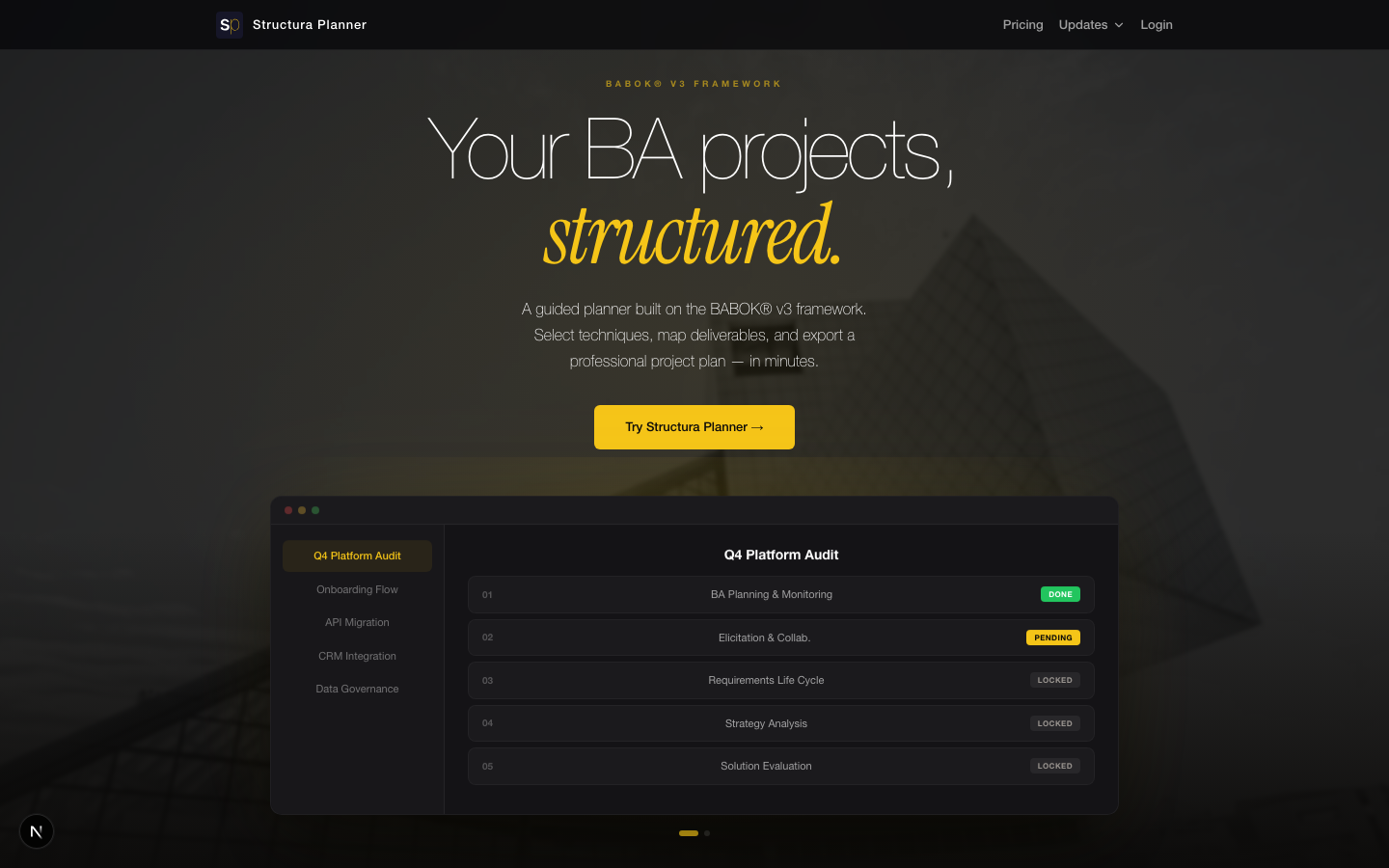
Project Overview
Role: Solo Founder — Product Designer, Developer, Marketer
Timeline: 17 calendar days from first commit to production
Stack: Next.js 15, TypeScript, Tailwind CSS, AWS Amplify Gen 2, DynamoDB
AI Partner: Claude (Anthropic) as autonomous coding co-founder
Live at: structuraplanner.com
The Challenge
The Business Analyst’s Planning Problem
Business Analysts structure projects using the BABOK v3 framework — the industry standard published by IIBA, covering 6 Knowledge Areas, 50+ techniques, and dozens of deliverables. Yet there’s no tool designed specifically for this workflow.
The current reality:
- Fragmented tools
- BAs juggle Excel spreadsheets, Confluence pages, Word documents, and shared drives
- No single workspace understands the BABOK structure
- Project plans are assembled manually, every time
- Knowledge gap
- Junior BAs don’t know which techniques apply to which phase
- Senior BAs waste time recreating structures they’ve built before
- Team leads can’t ensure consistency across projects
- Market gap
- Sparx Systems EA: Too complex, enterprise-priced, not guided
- BA-Toolkit: Passive reference material, no project builder
- IIBA KnowledgeHub: Paywalled, no compilation or export
- BA Copilot: Narrow scope (BPMN diagrams only)
The hypothesis: A guided, BABOK-native planning tool — one that walks BAs through each Knowledge Area, recommends techniques based on methodology, and compiles an exportable project plan — could fill a real gap.
I knew this firsthand. After earning my IIBA Entry Certificate in Business Analysis, I experienced the same fragmented workflow. So I built the tool I wished existed.
My Role: Everything
This wasn’t a team project with handoffs. I owned the entire product lifecycle:
Product & Strategy:
- Identified the market gap from personal domain experience
- Defined product scope, pricing model (freemium with Paddle billing), and go-to-market
- Researched competitors and validated positioning through LinkedIn campaigns
Design:
- Designed the complete visual identity — the “V4 Immersive” dark/gold aesthetic
- Built a three-layer design token system (primitives, semantic, component)
- Created HTML prototypes for every screen before writing production code
- Iterated through 4 landing page concepts and 3 internal UI variants
Development:
- Built the full-stack application with Next.js 15 and AWS Amplify Gen 2
- Implemented authentication (Cognito), database (DynamoDB), billing (Paddle)
- Wrote BDD test suites with Cucumber.js
- Managed git branching strategy (dev → staging → main) with atomic commits
Marketing:
- Wrote all copy, created LinkedIn ad creatives, ran a targeted campaign
- Built a waitlist system with Resend transactional emails
- Drafted a Medium article: “I Built a SaaS Product in 17 Days. My Co-Founder Is an AI.”
The AI-Native Build Process
17 Days. 714 Commits. 1 Person. 1 AI Partner.
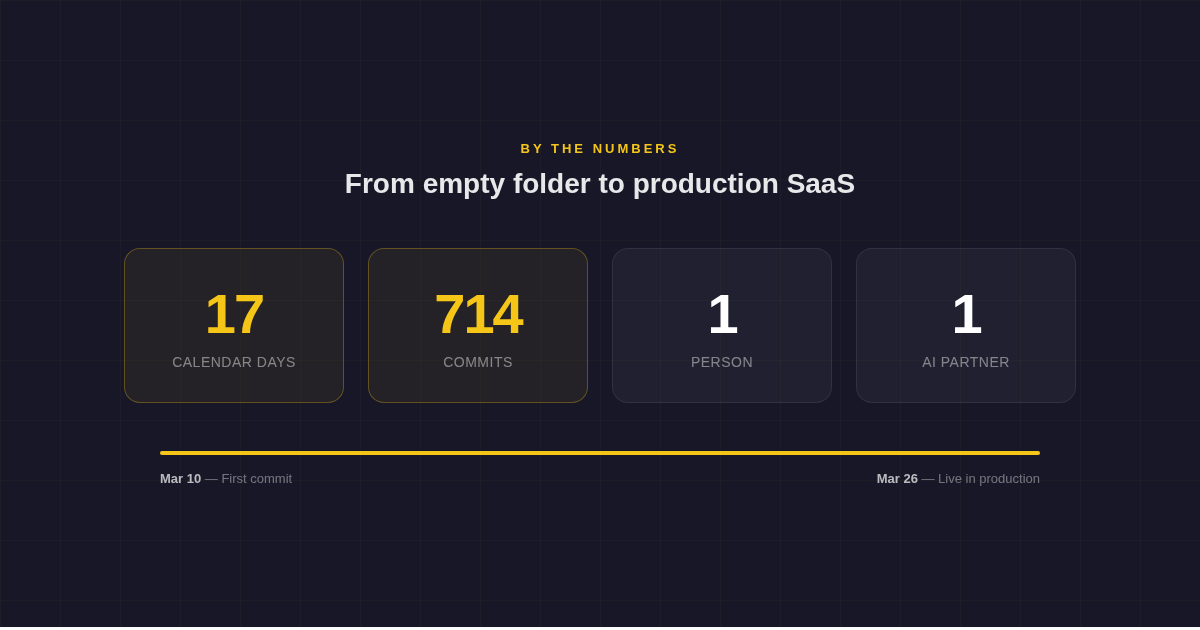
This project was a deliberate experiment in AI-native product development. I used Claude not as an assistant but as an autonomous engineering partner, while I retained full creative and strategic control.
How it worked:
I decided what to build. Product vision, user flows, information architecture, visual design, and every strategic trade-off were mine. The AI never chose what feature to build next or how the product should look.
AI wrote the code. Using a structured workflow (GSD framework), every task was atomic: one task, one commit, one state update. Claude executed implementation against my specifications, with BDD tests verifying every change.
I reviewed everything. Every commit was reviewed. Every UI change was visually verified against HTML prototypes. The AI’s output was high-quality but not infallible — the designer’s eye caught what tests couldn’t.
The result: A production SaaS with authentication, billing, database, three export formats, and a full marketing landing page — shipped in 17 calendar days. Not a prototype. Not a demo. A real product, live at structuraplanner.com.
Design System: V4 “The Immersive”
A Dark/Gold Aesthetic with Depth
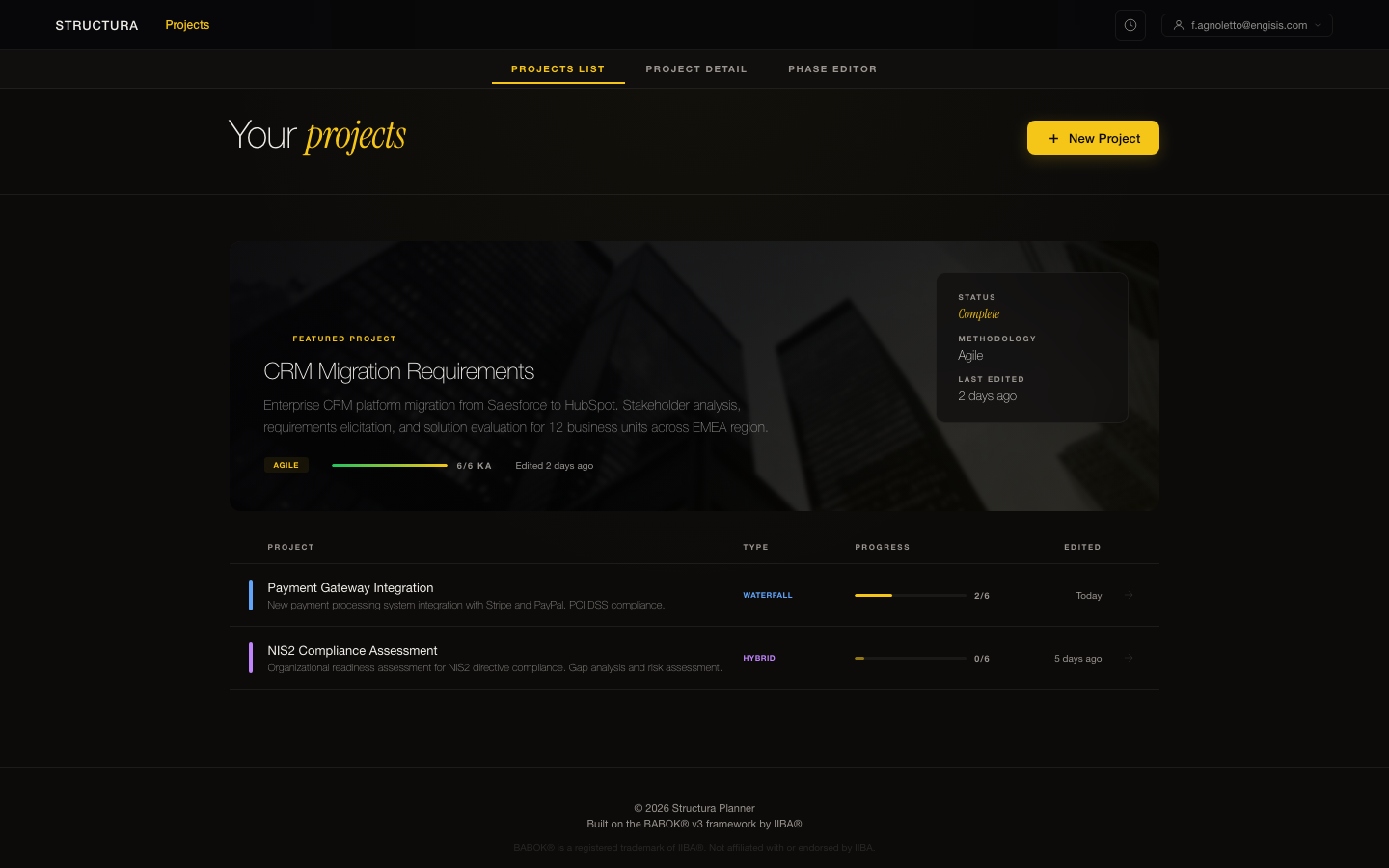
The visual direction was intentional from the start: dark, dramatic, and warm. Not the cold utility of enterprise tools, not the sterile whiteness of generic SaaS. Something that signals premium craft.
Color palette:
- Background:
#0C0B0A— warm dark, never flat black. Layered surfaces:#100F0D→#161514→#1C1B19 - Primary accent: Gold
#F5C518— CTAs, active states, hover borders, serif italic keywords - Text hierarchy: Warm off-white
#F0EDE8for headings, pure white for body,#9A9590for tertiary - Borders:
rgba(255,255,255,0.07)default,rgba(245,197,24,0.18)on hover
Typography system:
- Sans: Helvetica Neue (weight 100 for hero headlines — ultra-thin, editorial)
- Serif accent: Instrument Serif italic — used for single emphasized keywords in headings (the “guizzo” pattern): e.g., structured. in gold
- Scale: Major Third ratio (1.26), base 1rem, ranging from 0.5rem to 5.04rem
Signature details:
- Glassmorphic fixed header with
backdrop-filter: blur(24px) saturate(1.2) - Ambient body glow: radial gold gradient at 3% opacity
- Gold CTA shimmer sweep on hover
- Technique card gold radial glow on hover
- Bento-grid layout for BABOK Knowledge Areas section
Three-Layer Token Architecture
Following the approach I established at Duskrise, the design system uses a strict variable hierarchy:
- Primitives → Raw values (
#F5C518,16px,700) - Semantic tokens → Purpose-driven references (
color.accent.primary,spacing.card.padding) - Component tokens → Scoped to UI elements (
button.cta.background,phase-card.border.hover)
This architecture ensures no arbitrary values exist in the codebase. Change one primitive, the entire system updates.
Key Screens
Project Detail — Phase Timeline
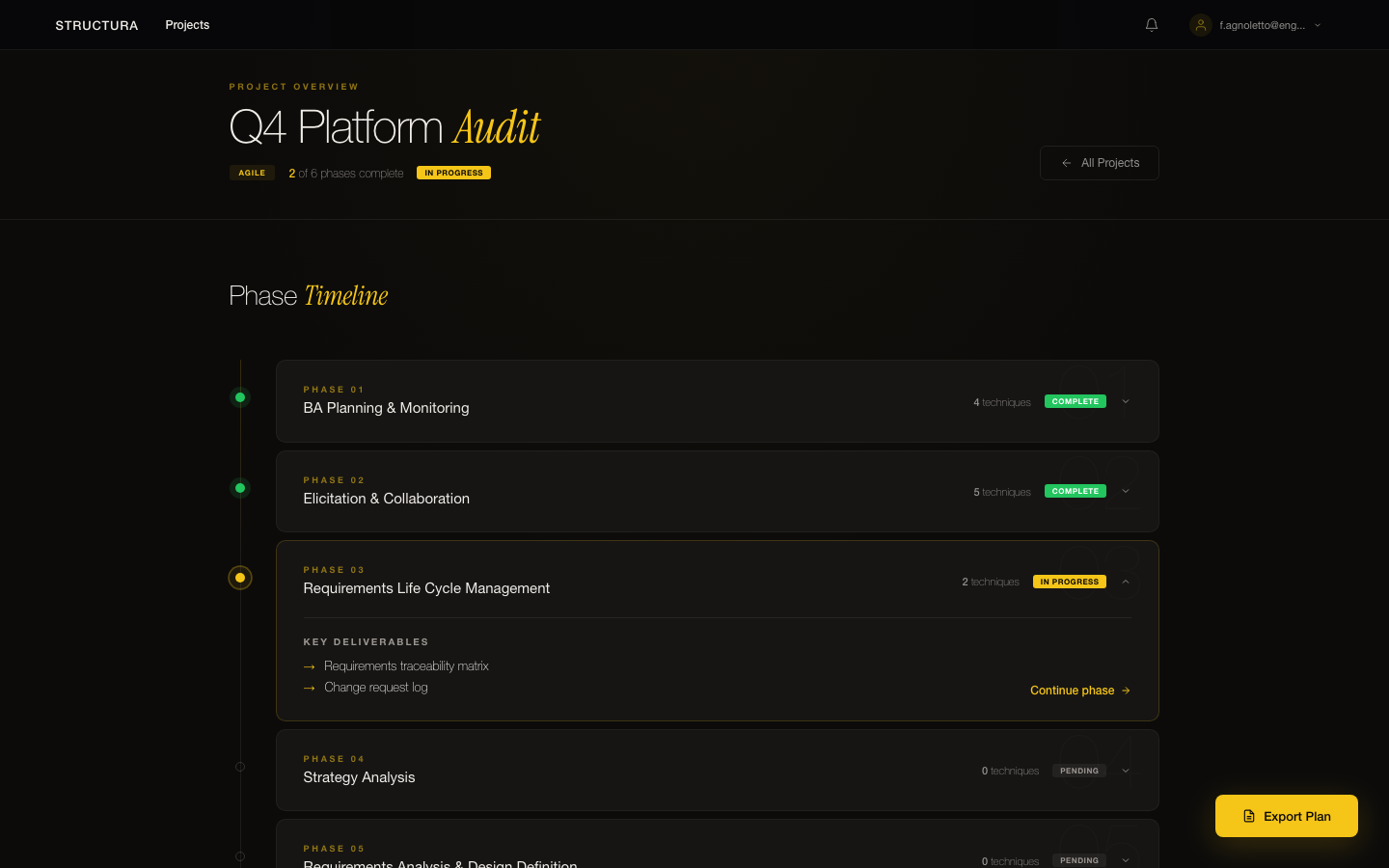
Each project flows through a sequential phase timeline mapping to the 6 BABOK Knowledge Areas. Users see their project status at a glance: which phases are planned, which are active, which are complete. The methodology tag (Agile, Waterfall, Hybrid) sets smart defaults for technique and deliverable selections.
Phase Editor — Technique & Deliverable Selection
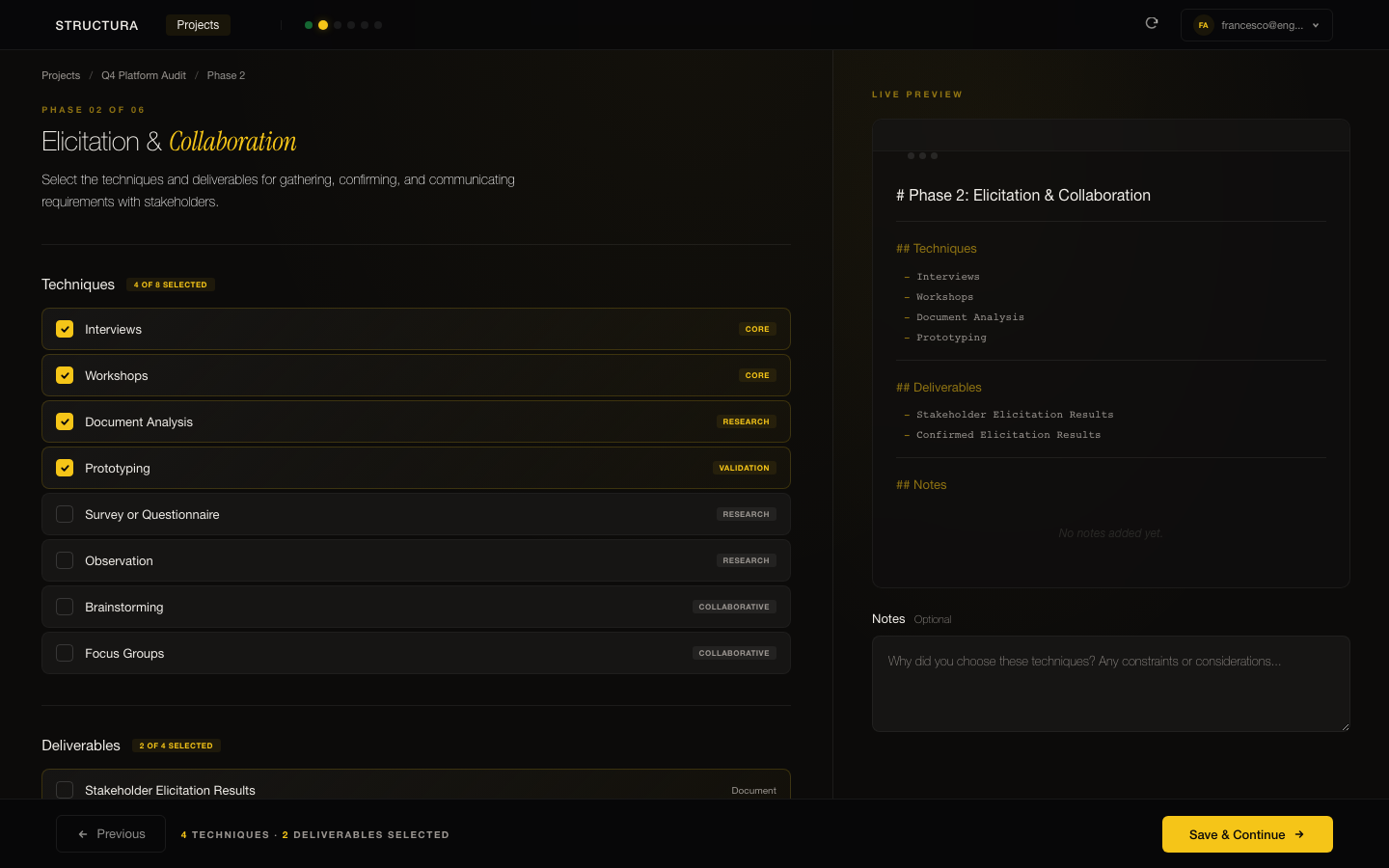
The core interaction: a two-column editor where BAs select techniques (left) and deliverables (right) for each Knowledge Area. Techniques are filterable by category and complexity. The sidebar summarizes selections and notes. Navigation flows sequentially — Previous/Next with auto-save — so the planning experience feels guided, never overwhelming.
The BABOK Foundation
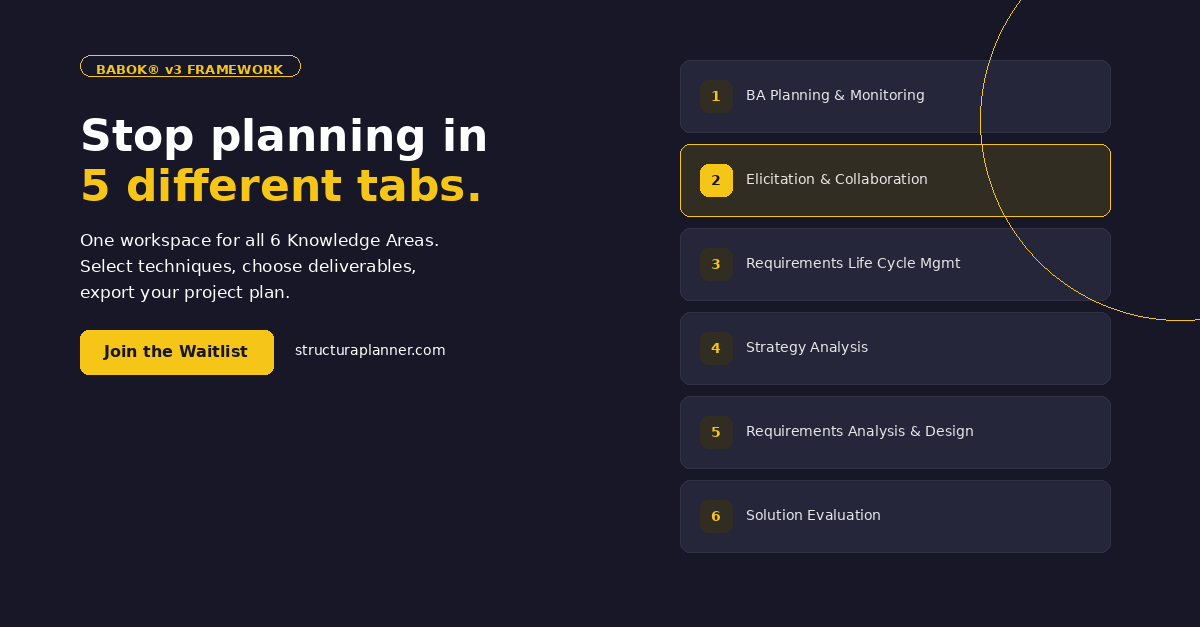
Every project walks through all 6 BABOK Knowledge Areas:
- BA Planning & Monitoring — Governance approach, stakeholder engagement
- Elicitation & Collaboration — Techniques for gathering and confirming requirements
- Requirements Life Cycle Management — Tracing, maintaining, prioritizing requirements
- Strategy Analysis — Current state, future state, risk assessment
- Requirements Analysis & Design Definition — Modeling, specifying, verifying
- Solution Evaluation — Assessing solution performance and value
Go-to-Market
Pricing model: Freemium
- Free: 1 project (full functionality)
- Pro Monthly: €4.99/month
- Pro Annual: €39/year
- Lifetime Early Adopter: €99 (limited to first 100 seats)
LinkedIn campaign (March 2026):
- 5 posts over 2 weeks: pain point carousel, how-it-works, 50+ techniques, pricing, methodology poll
- 3 ad variants A/B tested with €200 budget
- Campaign monitored every 6 hours with automated logging
Positioning: “Stop planning your BA projects in 5 different tabs. One workspace for all 6 Knowledge Areas. Select techniques, choose deliverables, export your project plan.”
Results & Reflection
What shipped:
- Full SaaS application with auth, billing, and database
- 50+ BABOK techniques mapped across 6 Knowledge Areas
- 4 methodology templates (Waterfall, Agile, Hybrid, Blank)
- 3 export formats: Markdown, PDF (with branded layout), Slideshow
- Complete marketing landing page with testimonials and pricing
- Waitlist system and transactional email infrastructure
What this project proves:
-
Designers who code ship faster. The developer-to-designer trajectory isn’t just a resume line — it collapses the design-to-implementation feedback loop to zero.
-
AI amplifies, it doesn’t replace. Claude wrote 714 commits of production code. But the product decisions, visual design, UX flows, and strategic positioning were entirely human. AI is the best multiplier a designer can have — if you know what to multiply.
-
Domain expertise creates better products. I didn’t design this tool from a brief. I designed it from frustration. The IIBA certification wasn’t decorative — it was the foundation for understanding exactly what BAs need and where existing tools fall short.
-
One person can build a real SaaS. Not a landing page with a waitlist. Not a Figma prototype. A production application with authentication, billing, database, exports, and marketing — in 17 days.
Try it: structuraplanner.com